
OASIS Transcriber for Home Health Agencies
Documentation without the Delays Errors Rework Backlog
Record once. Complete OASIS documentation in minutes.
Our trained model listens, transcribes, and fills OASIS assessments for home health agencies, saving hours of paperwork while supporting compliant documentation.
What Is OASIS Transcriber?
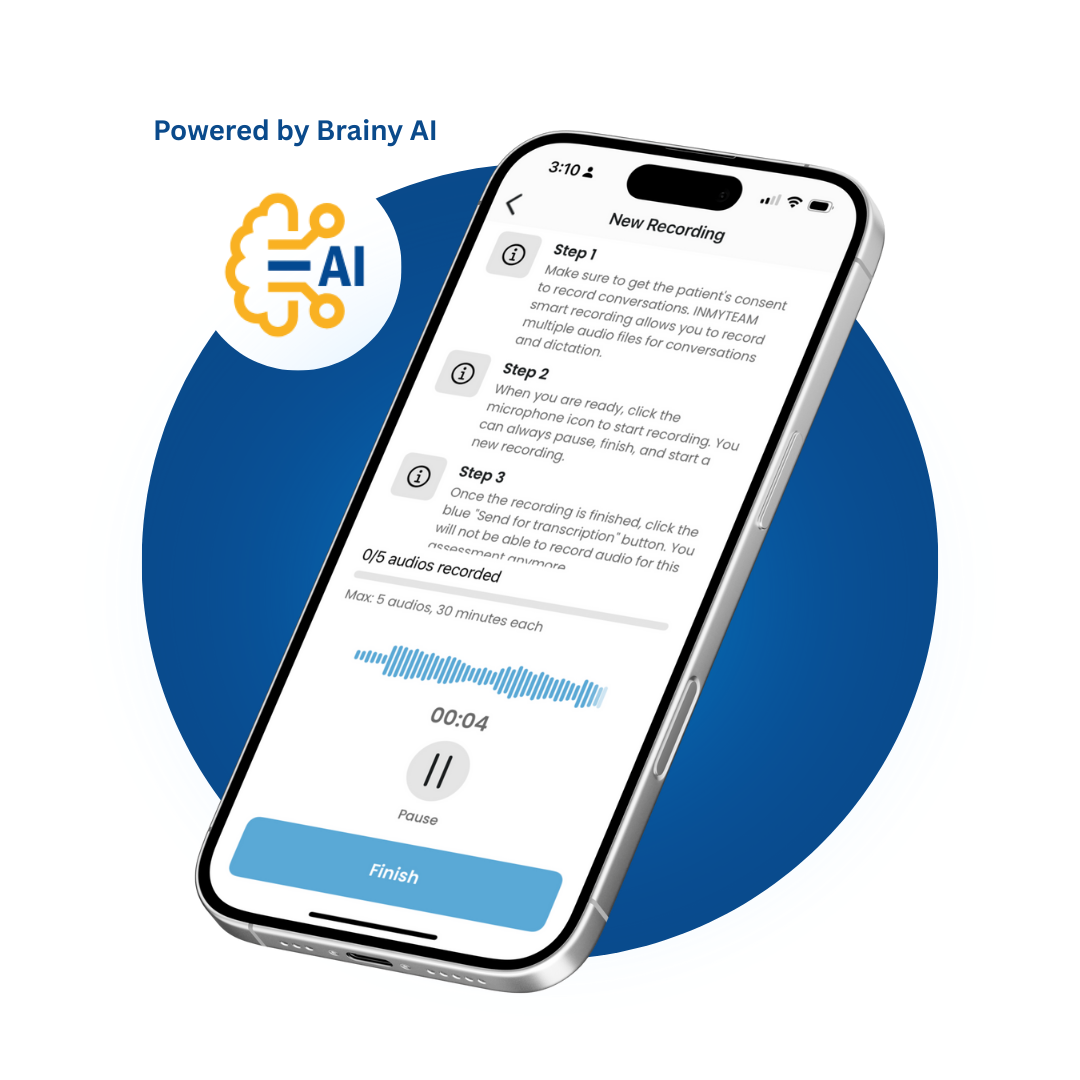
OASIS Transcriber is an AI-assisted documentation tool powered by Brainy, INMYTEAM’s built-in AI. It analyzes clinician-patient conversations from recorded visits and assists with filling assigned OASIS assessments for home health agencies.
The result is accurate, human-review-ready OASIS documentation—completed in minutes, not hours.
Built for Real-World Home Health Documentation
OASIS Transcriber is designed to meet the security, compliance, and workflow requirements of regulated home health environments.
Purpose-Built for OASIS Documentation
Real-time transcription powered by models trained specifically on OASIS assessment language and structure.
Automated OASIS Field Population
Automatically populates OASIS fields, including M and GG items, from recorded clinician visits.
HIPAA-Compliant Data Handling
Data is processed and stored in a HIPAA-compliant environment designed for regulated clinical documentation.
Secure Clinician Recording & Storage
Clinicians can record visits confidently knowing their audio is stored securely and handled in a compliant environment.
No Third-Party Data Processing
OASIS Transcriber processes data natively within INMYTEAM, without relying on external third-party transcription services.
Designed for Clinician Efficiency
Designed to fit naturally into clinician workflows, reducing documentation burden without changing how visits are performed.
OASIS Transcriber Workflow Overview
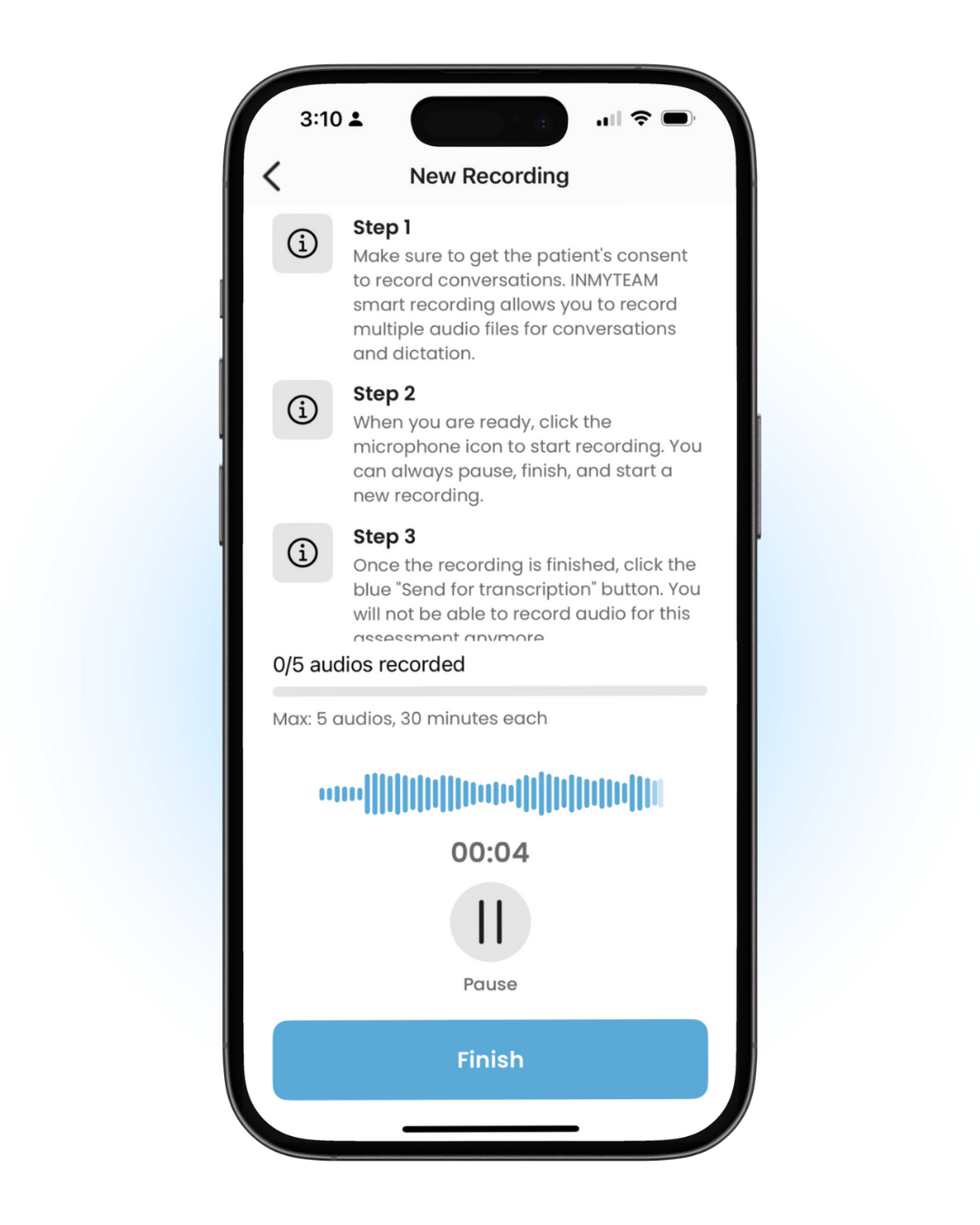
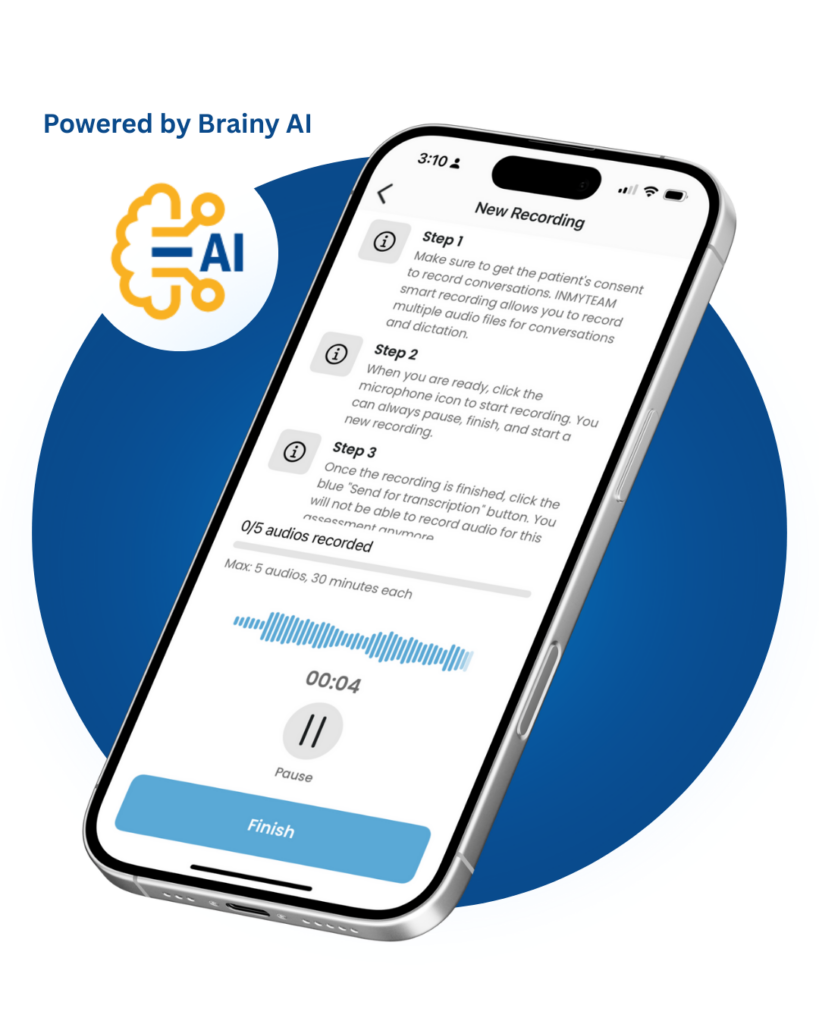
Step 1: Record the Visit
During the patient visit, clinicians simply record the conversation using the INMYTEAM mobile app. No special setup or changes to the visit workflow are required.
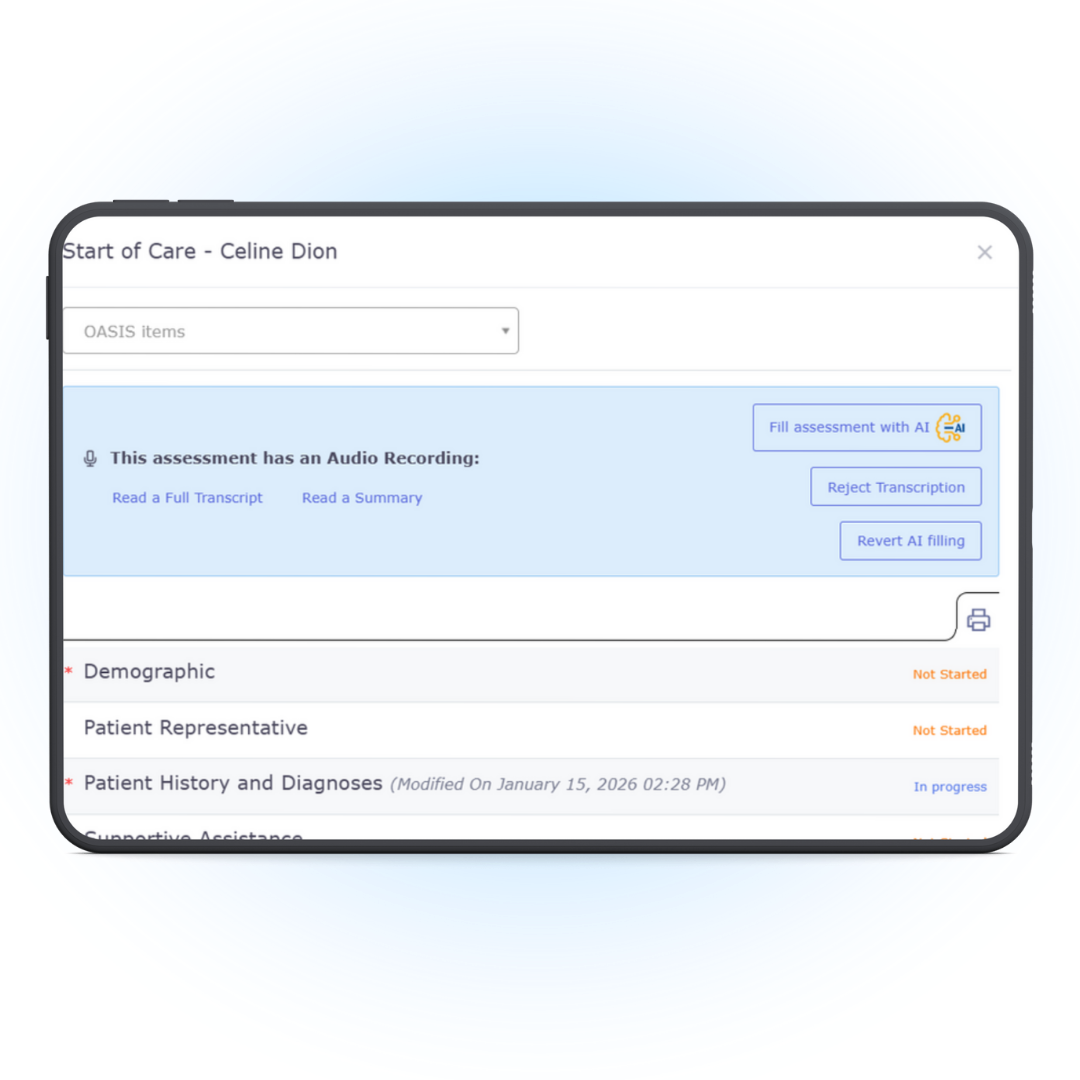
Step 2: Apply Brainy to the Assigned Assessment
After the visit, the recording is securely available in the clinician portal alongside the assigned OASIS assessment. Clinicians can choose to apply Brainy, INMYTEAM’s built-in AI, to assist with filling the assigned assessment based on the recorded visit.
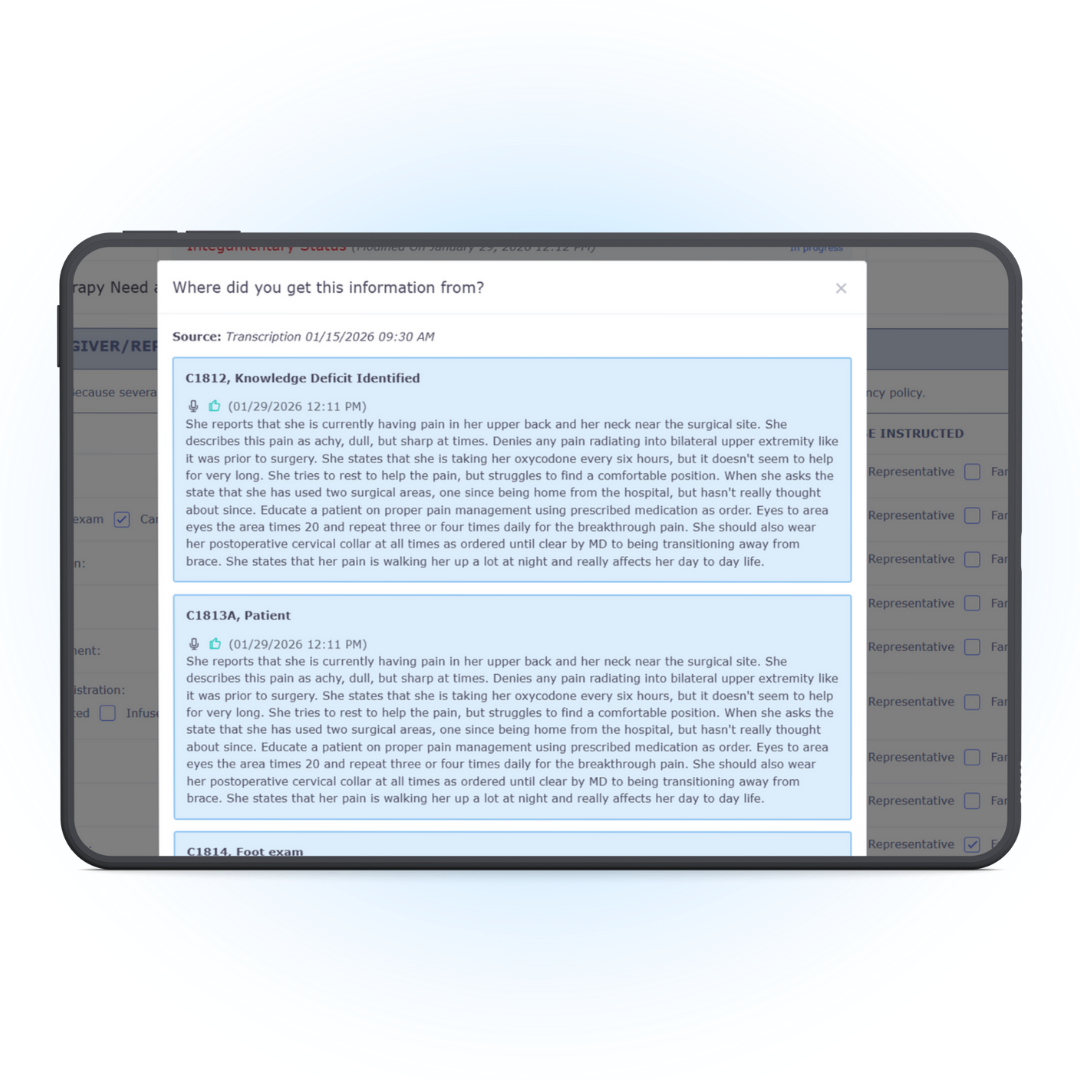
Step 3: Review and Submit with Confidence
Review Brainy’s suggested responses, make any necessary edits, and finalize the assessment before submission. Clinicians stay in control while Brainy reduces manual documentation work.
Why Clinicians Love It
- Save hours per assessment—focus on patients, not paperwork
- Improve accuracy and reduce manual data entry
- Stay compliant with built-in logic aligned to CMS standards
- Speak naturally—documentation is handled in the background
- Continuous improvement with every completed assessment
Request a free demo of OASIS Transcriber
Short form. No obligation. See how Brainy AI supports OASIS documentation.